Warming Up New Phone Numbers for Unofficial WhatsApp API
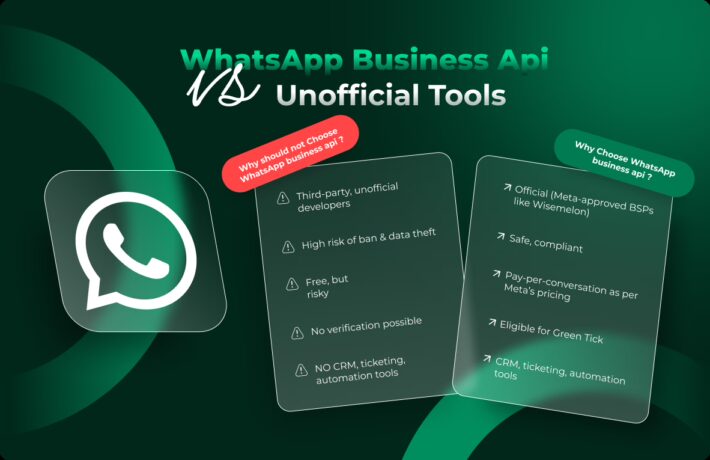
Recent changes in WhatsApp’s security protocols have led to stricter monitoring of new numbers, frequently resulting in blocks. This presents a challenge for businesses integrating the WhatsApp API, particularly those using new eSIM numbers. To avoid these blocks, it’s crucial to ‘warm up’ new numbers, mimicking human behavior to establish legitimacy.
The number just registered in WhatsApp is immediately “under suspicion”. Therefore:
-
Very important: Do not scan the QR code immediately after registering a new number on WhatsApp. Wait a few hours or more!
The Concept of ‘Number Warming’
‘Number warming’ in WhatsApp context means gradually increasing a new number’s activity. This process is vital to avoid triggering WhatsApp’s anti-spam algorithms, which are quick to block numbers showing sudden, high-volume activity.
Warming involves typical user behaviors: messaging, calling, status updates, and group participation. It’s a strategy to show the number is used naturally, not for spam or automation. Proper warming builds a usage history, reducing the risk of blocks when starting API integration.
Strategies for Warming Up New Numbers
Successfully “warming up” a new number on WhatsApp involves a step-by-step approach over a period of about 3-10 days. Here’s a step-by-step guide:
-
Important: After connecting a new number, do not rush to immediately send messages through the API!
Day 0:
-
Do not connect your newly registered WhatsApp number to our service immediately. Wait a few hours.
-
The ideal way to start would be if you purchase an individual proxy address (so that your real phone and API have IP addresses of the same country, or better, city). Write to our support team, we will help you find a customized proxy address.
-
Finish setting up your profile on your phone (set details, profile picture).
-
Make sure you have at least 20-50 contacts in your address book, if not, start any contacts in your address book (as an empty address book is a risk factor!)
-
Handwrite from your phone to 1-2 contacts you know that are in your phonebook. Make sure you get a response.
Day 1:
-
Through your phone, start a few private chats (3-6 conversations) with your existing contacts.
-
Write a few varied messages via API. Make sure you’re sure to get a response. Send and receive a few images or videos / stickers to mimic typical user behavior.
Day 2:
-
Increase the number of conversation to 10-15 chats.
-
Continue to write a few varied messages and media message (about 1 messages per minute). Provide responses to your messages.
Day 3: Gradually Increasing Activity
-
Begin to initiate more conversations, gradually increasing the number each day.
-
Start participating in group conversations, if possible.
-
Send a wider variety of messages, including links and longer texts.
Day 4+: Diversifying Activities
-
Create a groups or join more groups, actively participating in them.
-
Start using WhatsApp status updates, use channels, create a community.
-
Continue to increase the volume of messages and diversify the types of messages sent.
General Tips:
-
Ensure that the activities mimic real human behavior – random rather than systematic.
-
Avoid sending too many messages in a short time or engaging in one-way communication.
-
Interactions should be spread throughout the day, not clustered at specific times.
-
Gradually build up the number of messages and types of interactions.